Dashboard ToolBox
The Netgate Nexus Dashboard ToolBox is located on the right side of the dashboard screen and contains several options to manage dashboard items.
This ToolBox can appear in two different ways as determined by the Controller Options.
It can be a floating bar pinned to the right side of the screen:
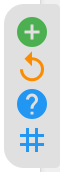
Dashboard ToolBox - Right Side Style
It can be collapsed behind a
 hamburger menu button: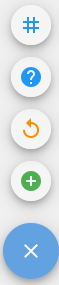
Dashboard ToolBox - FAB Style
The available actions are the same in both styles.
The actions available in the ToolBox are:

Register an instance with the controller (Instance Registration).

Reload dashboard data.

Open the Help menu which also contains the current controller data for use in the registration process (Instance Registration).

Opens the tag manager which assigns tags to dashboard list entries (Tag Manager).